When you connect to CarPlay, the car's infotainment screen will show a menu of the compatible apps on your iPhone. This includes pre-installed iPhone apps such as Phone, Music, Maps, Messaging, Audiobooks and Podcasts. Third-party apps such as WhatsApp or Spotify can also be accessed.
What are the latest Apple CarPlay apps and updates?
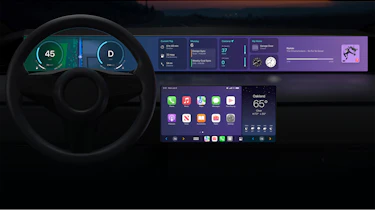
Apple CarPlay is changing all the time as new updates and features are rolled out. Here’s the latest…
Finally, there’s a progress bar that allows you to scrub through tracks to the point you want, rather than a far less usable skip function. Lovers of podcasts will particularly appreciate this feature, we suspect.
Configurable widgets
With iOS 26, Apple CarPlay now supports three configurable widgets (up from two). This allows users to pick which information is useful to them and make it easier to see at a glance. You can display apps like music, maps, or live sports updates simultaneously.
The new ‘Liquid Glass’ design changes the way the Apple CarPlay screen looks by introducing translucent elements. It has been somewhat controversial as not everyone likes it, but the design was introduced to give the display a more modern look and improve the ease of use.
Disable the pinned messages
iOS 26 lets you disable pinned messages, so the most up-to-date messages are displayed right at the top rather than being pushed below older pinned messages.
Apple CarPlay iOS 17 allows you to unlock and even start some car models with your iPhone. This clever feature also allows you to lend contacts a virtual key, called Car Key, so you can grant friends and family access to your car even if you’re not there to physically hand anything over. The technology also prevents the car from locking if you’ve left your iPhone inside. There’s only a limited selection of compatible models, though. A wide range of BMW models built since 2021 work with the technology, but otherwise, it’s only a smattering of cars from Genesis, Kia, Hyundai and Mercedes.
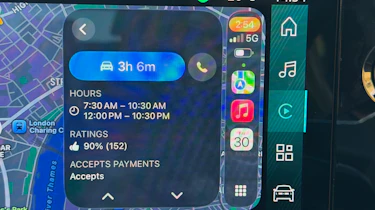
Apple installs the Map app as standard on all iPhone and iPad devices, and as it's fully CarPlay compatible, it means you can have sat-nav in your car for a fraction of the cost of factory-fitted nav systems. It displays turn-by-turn directions on your car’s infotainment screen, and offers the full range of location search and destination functions that a conventional nav system offers. In fact, some carmakers are already dropping the option of sat-nav on some CarPlay-equipped cars, and it's a real possibility that built-in sat-nav could become obsolete in the near future.